Agent workbench
Work is organised by task, workspace, and session. The agent can search, grep, read files, check git status, run approved commands, drive the terminal and browser, ask you questions, and return diff proposals for review.

Built around tasks, workspaces, and deliverables
WillDeep is a native macOS agent workbench. It reads your project, runs approved commands, drives the terminal and browser, runs tests, works on remote runtimes, and keeps pushing a task until there is something you can verify — handing you a unified diff before anything lands. The fast native editor is still there, now as the agent's tool for inspecting, comparing, and touching up the work.
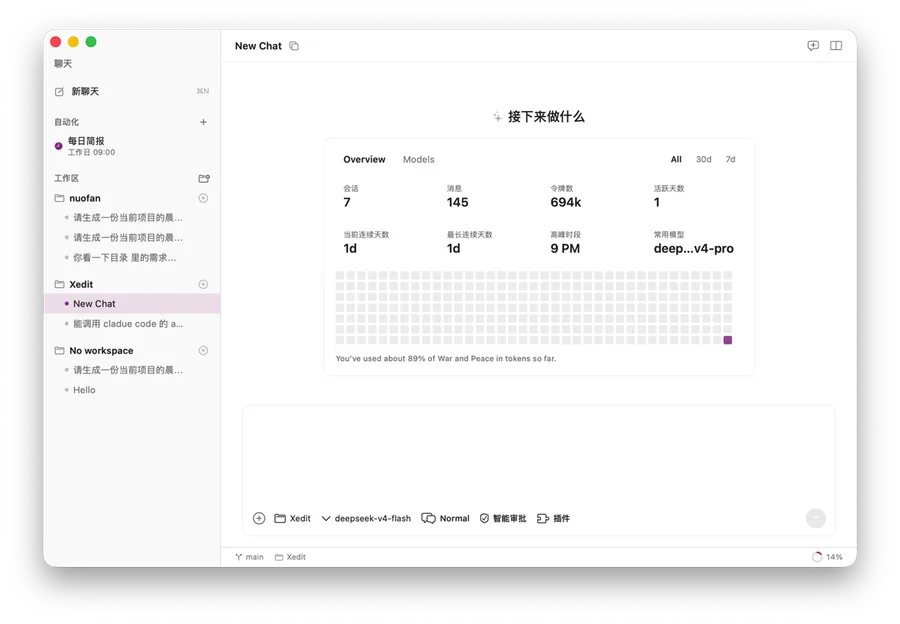
Work is organised by task, workspace, and session. The agent can search, grep, read files, check git status, run approved commands, drive the terminal and browser, ask you questions, and return diff proposals for review.
Queue follow-up messages, compress old context, attach images, inspect token usage, and keep multiple agent sessions running independently.
Bind a session to SSH or daemon workspaces so file tools, shell commands, builds, tests, and delegated local-agent CLIs run on the remote host.
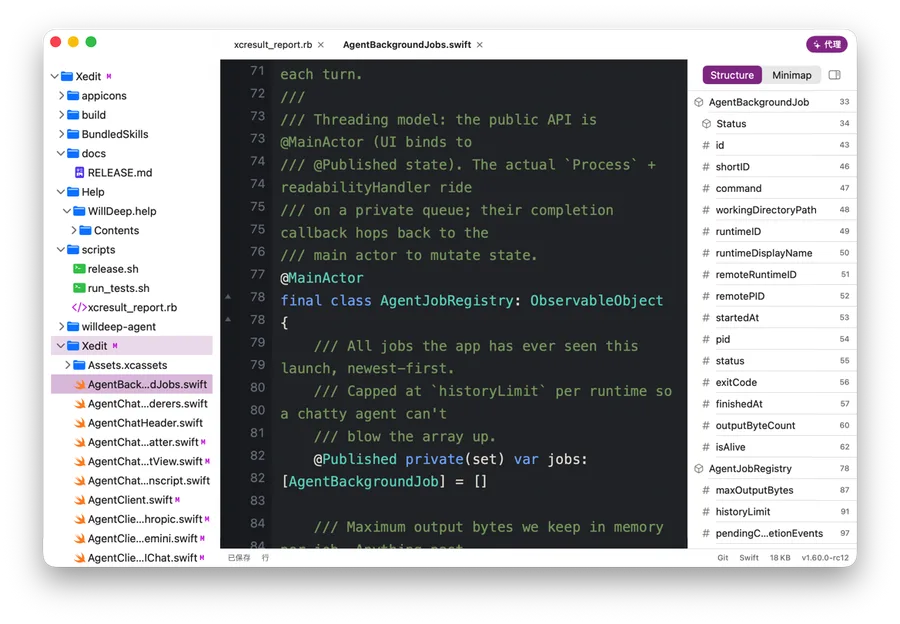
The editor moved from product definition to supporting capability, kept as the agent's tool on the ground: quick file opening, tabs, split editing, search, preview, folding, and dirty marks so you can inspect and touch up any change.
Plain text appears immediately; syntax highlighting runs off the main thread and extends by viewport so multi-megabyte files stay usable.
Configure OpenAI-compatible, Claude, Gemini, DashScope, DeepSeek, Kimi, Moonshot, MCP, and skill workflows while secrets stay in local Keychain.
It is designed for agent-assisted fixes, scheduled routine work, remote workspaces, and long-running sessions — with a fast native editor on hand whenever you want to look at the code yourself.
Ask the agent to inspect context, run safe checks, and propose patches while you decide what gets applied.
Create scheduled agent runs, monitor background jobs, inspect transcript details, and keep JSON session history under your own Application Support folder.
Keep the Mac UI local while searches, tests, build commands, and delegated CLI agents execute on an SSH or daemon runtime.
Open files and small projects quickly without paying a heavy runtime tax for simple edits.
Use live previews, tabs, search, native shortcuts, paste-to-attachment, and custom editor appearance for notes, docs, and snippets.
The product overview shows what WillDeep can do. Documentation, bug reporting, and the browser extension help it become part of your daily workflow.
Follow guides for installation, workspaces, sessions, models, approvals, the editor, remote runtimes, and troubleshooting.
Open documentationSubmit the issue, reproduction steps, and screenshots to create a trackable bug ticket.
Report a bugSend web content into WillDeep and connect browser research with local editing and agent workflows.
Explore the Chrome extension